List NFTs
Learn how to list your NFTs for trading on the QBay marketplace. This guide will walk you through the complete process from accessing your account to successfully listing your NFT.
Prerequisites
Before listing your NFT, ensure you have:
- A connected wallet with your NFTs
- Sufficient funds for gas fees (if applicable)
Step-by-Step Guide
Step 1: Access Your Account
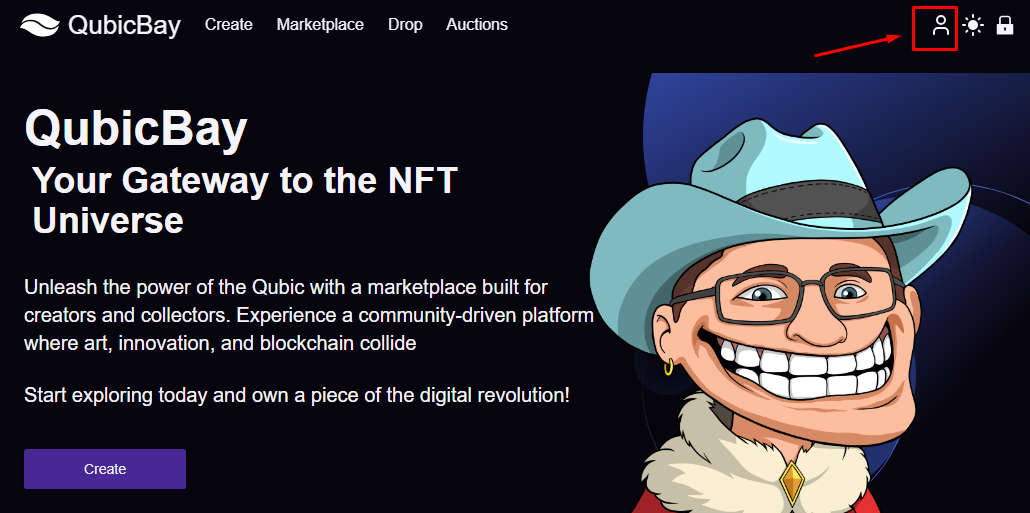
Start by clicking the My Account button on the homepage to access your personal dashboard.
Step 2: Navigate to Your NFTs
Once in your account dashboard:
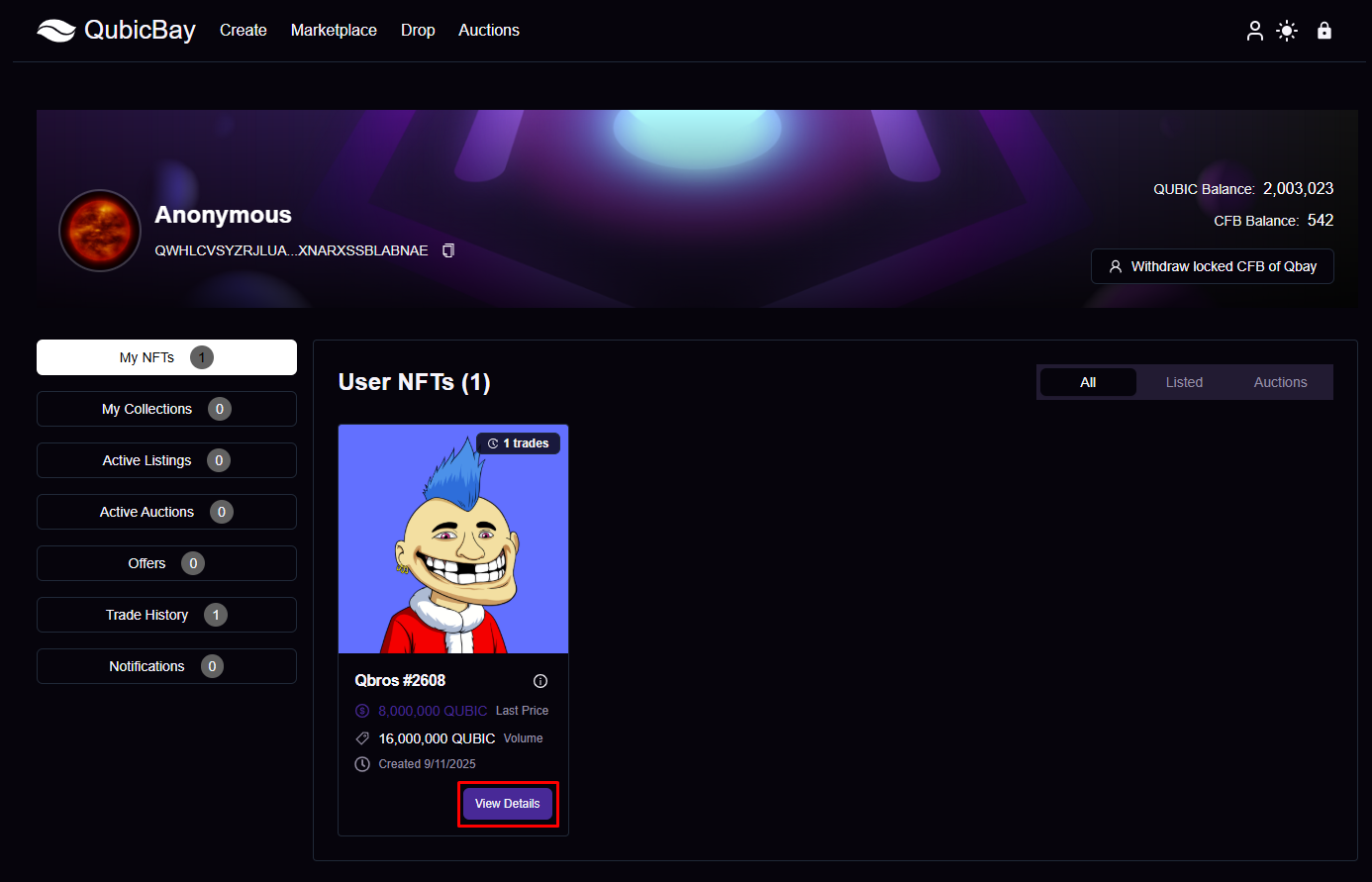
- Look for the My NFTs or My Collection section
- Browse through your owned NFTs
- Select the NFT you want to list for sale
Step 3: List Your NFT
When you've selected an NFT to list:
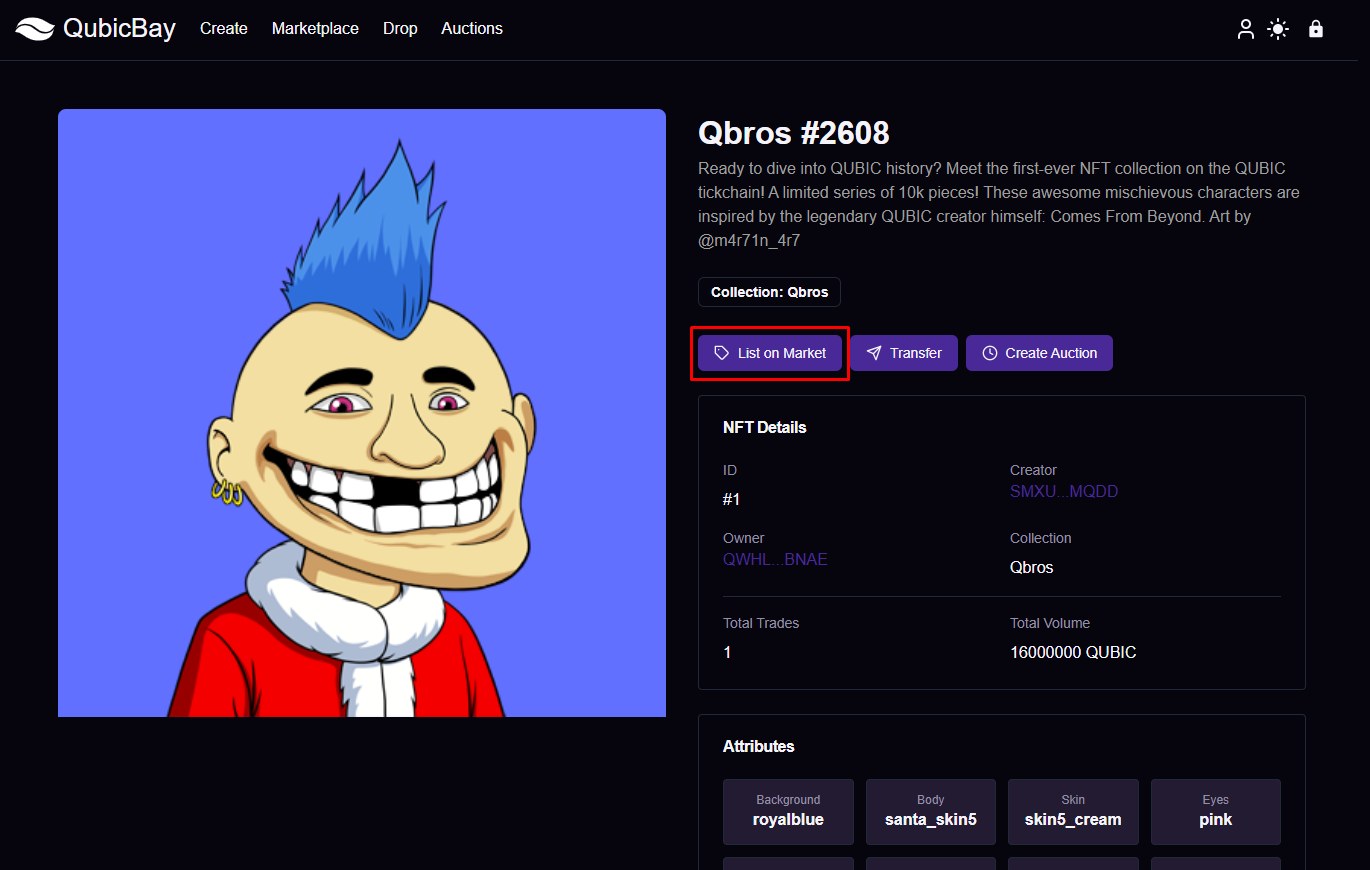
- Click the "List" or "Sell" button on your NFT
- Set your price in Qubic
- Choose listing duration (if applicable)
- Review listing details carefully
- Confirm the transaction in your wallet
Step 4: Verify Your Listing
After confirming the transaction, your NFT will be processed and listed on the marketplace.
Listing Best Practices
Pricing Strategy
- Research similar NFTs in the marketplace
- Consider the rarity and uniqueness of your NFT
- Set competitive but fair pricing
- Factor in marketplace fees
Metadata Optimization
- Use clear, descriptive titles
- Add relevant tags and categories
- Include detailed descriptions
- Upload high-quality images
Marketing Your Listing
- Share your listing on social media
- Use relevant hashtags
- Engage with the community
- Consider promotional strategies
Managing Your Listings
Edit Listing
- You can modify price and details before a sale
- Update metadata and descriptions as needed
- Extend or shorten listing duration
Cancel Listing
- Remove your NFT from sale if needed
- No fees for canceling (gas fees may apply)
- NFT returns to your wallet
Fees and Payments
Marketplace Fees
- Standard marketplace fee: 3%
- Creator royalties: Up to 10%
- Gas fees for blockchain transactions (if applicable)
Payment Processing
- Payments are processed automatically
- Funds are transferred to your wallet
- Transaction history is maintained
Troubleshooting
Common Issues
- Transaction fails: Check gas fees and wallet balance
- NFT not appearing: Refresh page or check wallet connection
- Price not updating: Wait for blockchain confirmation
Support
If you encounter issues while listing your NFT:
- Check the FAQ section
- Contact support through the platform
- Review the platform overview
Success!
Your NFT is now successfully listed and available for purchase in the QBay marketplace. Monitor your listing and engage with potential buyers to maximize your chances of a successful sale.
Next Steps: Learn about buying NFTs or explore auction features.