Auction
Create and manage auctions for your NFTs on Qubicbay
Overview
Auctions allow you to sell your NFTs to the highest bidder within a specified time period. This feature provides a dynamic pricing mechanism where buyers compete for your digital assets.
Getting Started
Creating an Auction
-
Navigate to the Auction Section
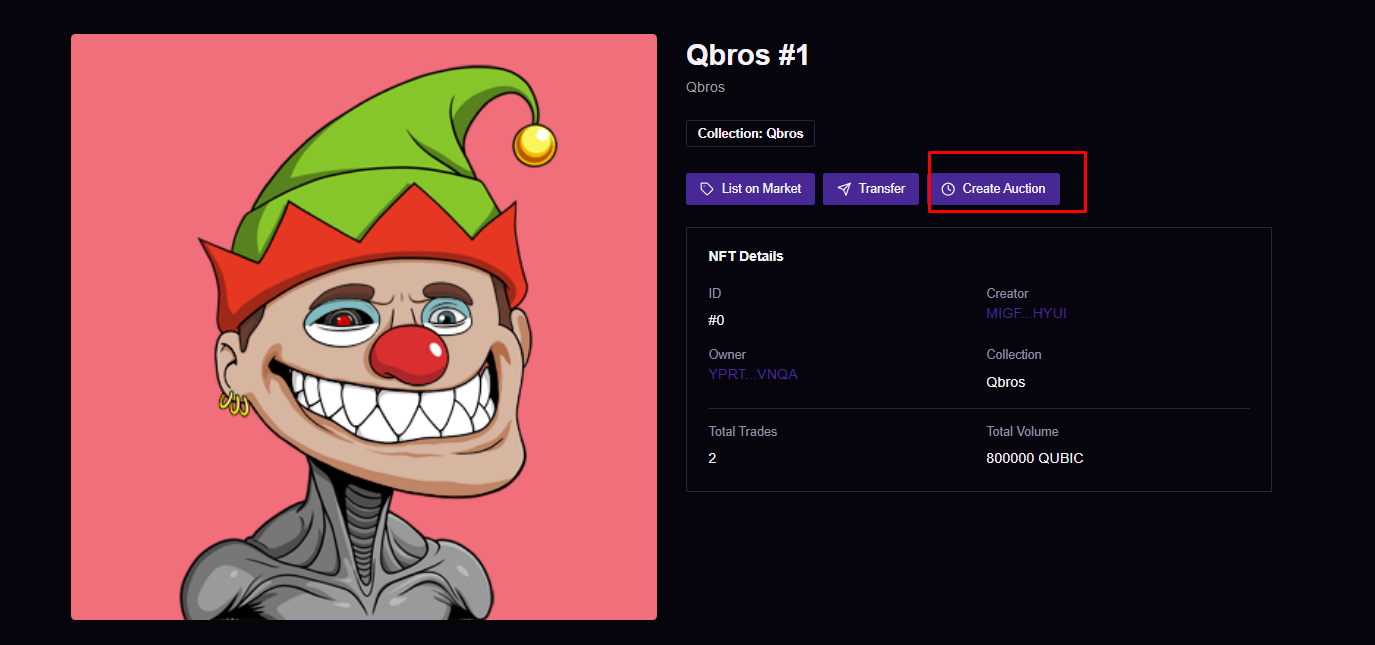
-
Set Auction Parameters
- Start Date: When the auction begins accepting bids
- End Date: When the auction closes and the highest bidder wins
- Starting Price: Set a reserve price to ensure minimum value
- Bid Increment: Define how much each bid must increase by
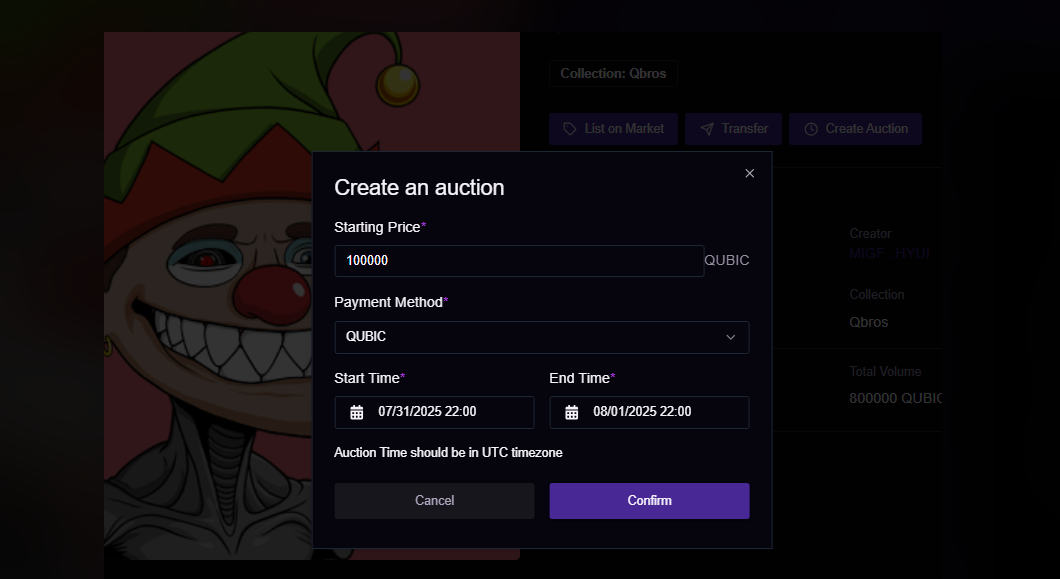
⚠️ Important: Enter exact start and end dates for your auction. Once created, these cannot be modified.
Auction Management
Successful Registration
After successfully registering your auction, you'll see confirmation screens:
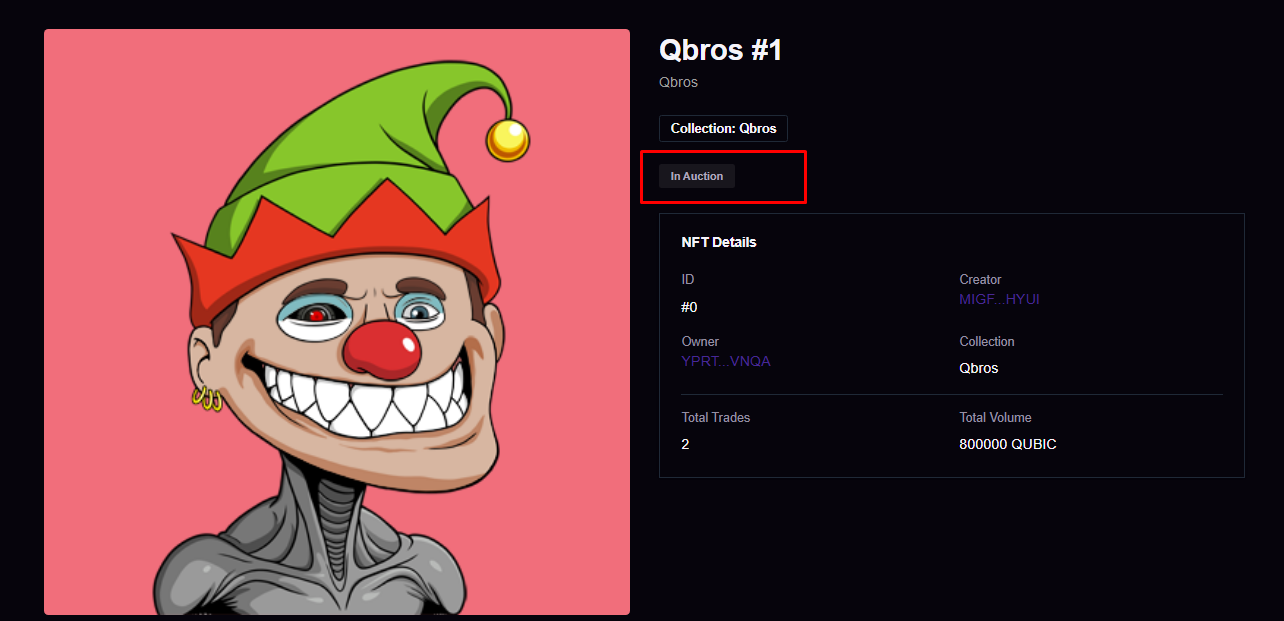
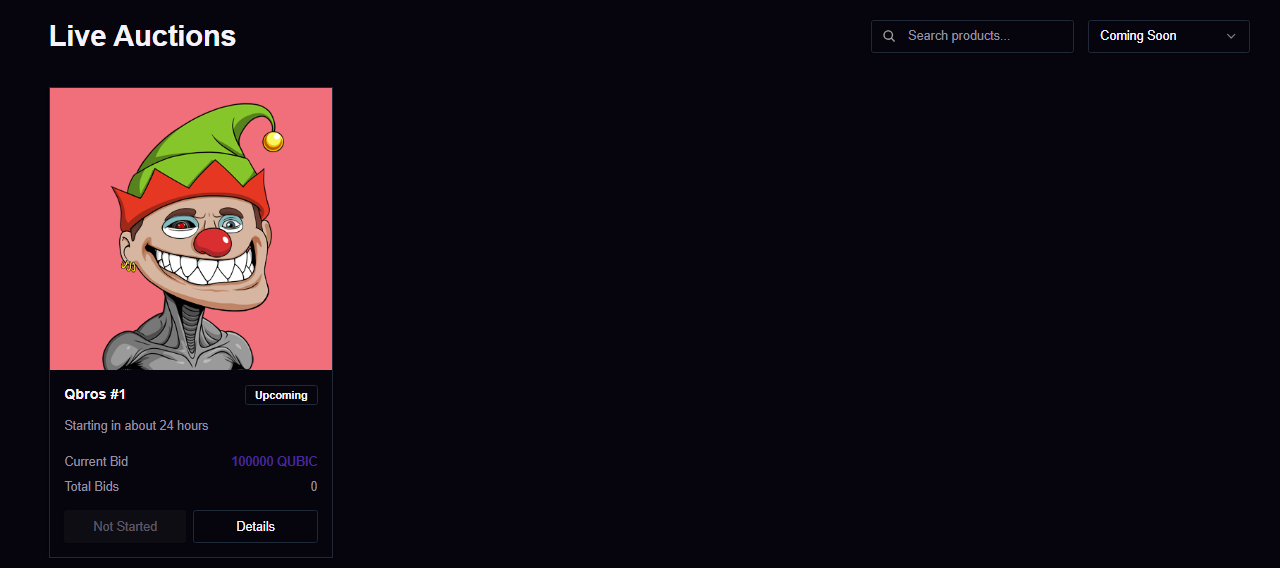
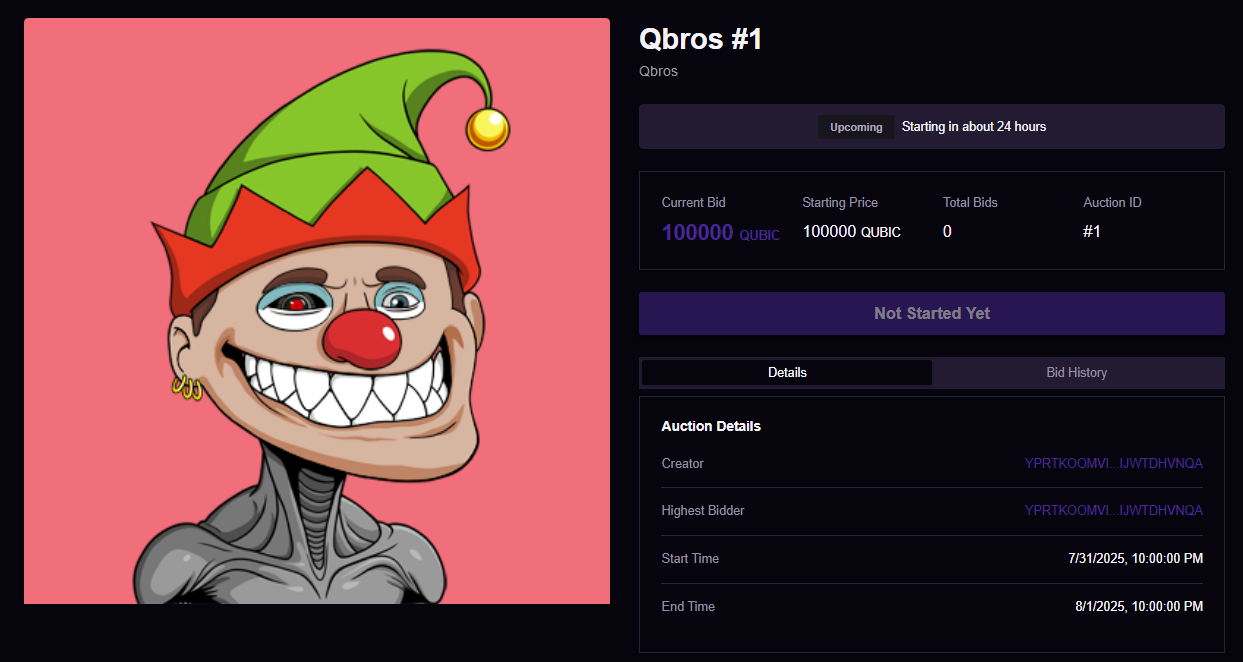
Monitoring Your Auction
- Active Bids: Track all incoming bids in real-time
- Time Remaining: Monitor countdown to auction end
- Current Highest Bid: See the leading offer
- Bidder Information: View details of participants
Best Practices
- Set Realistic Timeframes: Allow enough time for bidding competition
- Choose Appropriate Reserve Prices: Balance between minimum value and attracting bidders
- Promote Your Auction: Share on social media to increase visibility
- Monitor Activity: Stay engaged with the bidding process
Next Steps
Once your auction is live, you can:
- Monitor bid activity
- Respond to bidder questions
- Prepare for the final sale
- Complete the transaction with the winning bidder
✅ Done: Your auction is now live and ready to accept bids!