Buy NFTs
Overview
On the Qubicbay platform, you can easily browse and purchase NFTs by following these simple steps:
- Browse Categories: Navigate through different NFT categories to find items that interest you
- View Details: Select specific NFTs to examine their details and pricing
- Purchase: Complete your purchase using your connected wallet
Step-by-Step Guide
Step 1: Browse NFT Categories
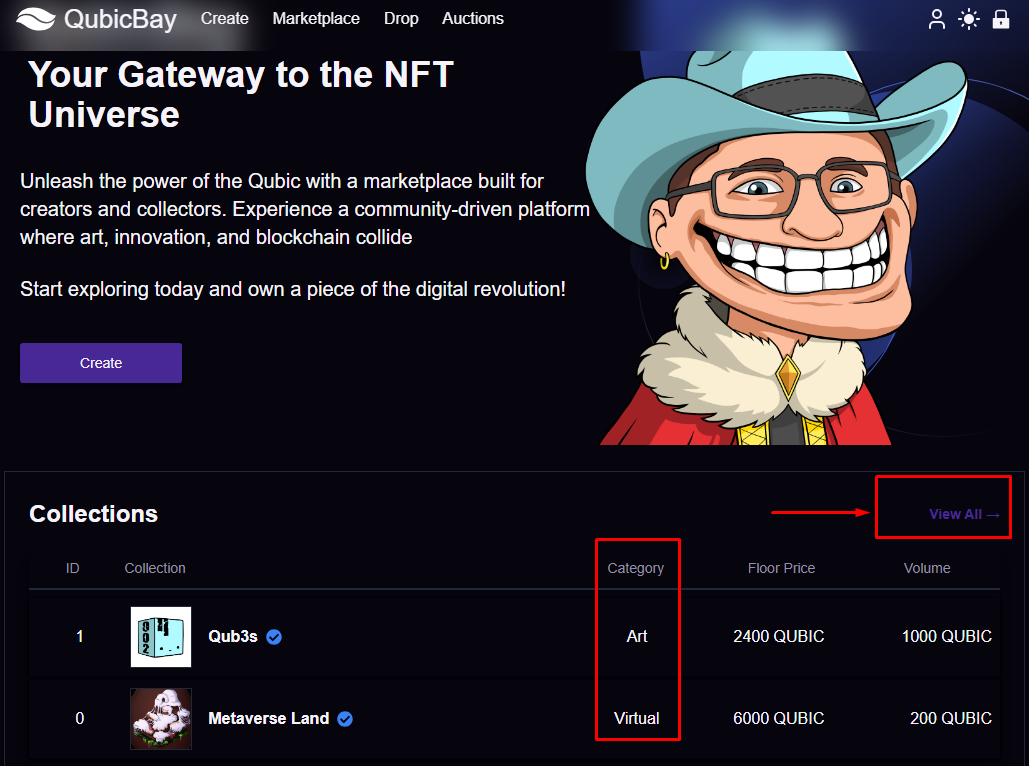
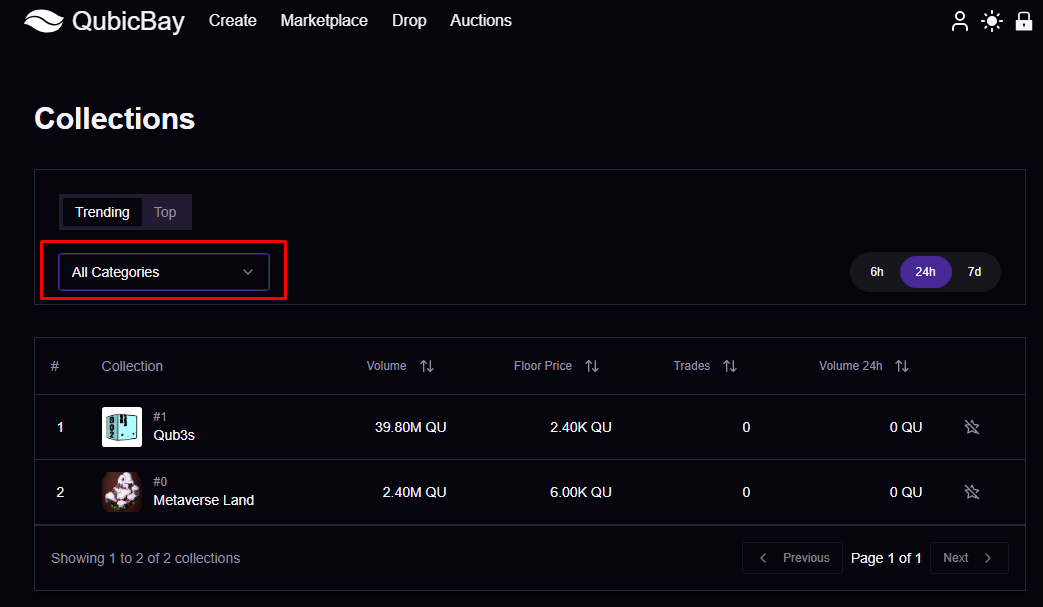
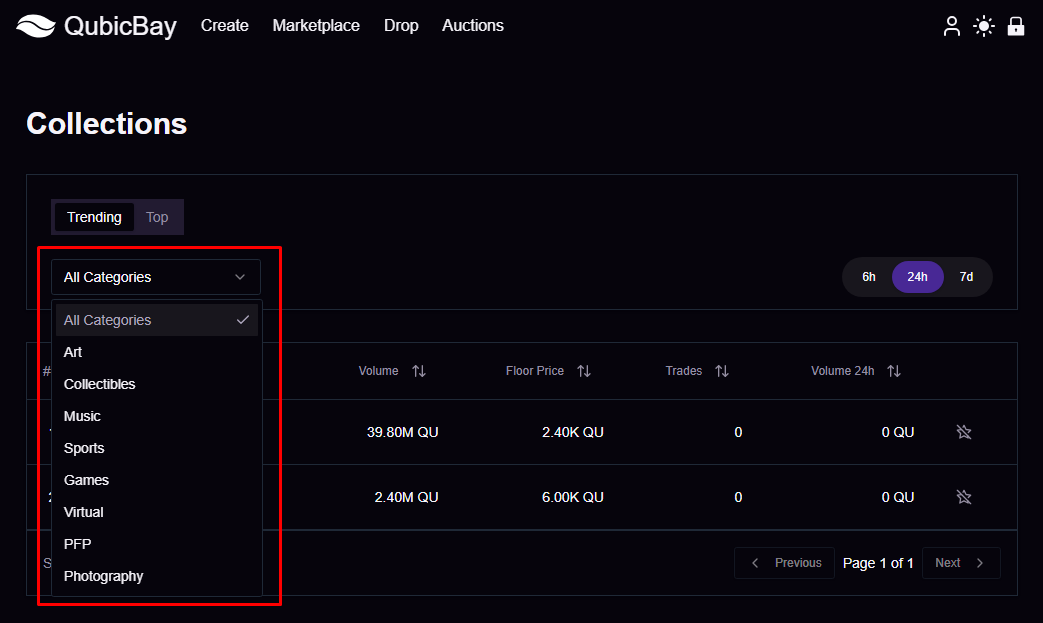
Start by exploring the available NFT categories on the Qubicbay marketplace. You can filter by:
- Collection type (Art, Gaming, Music, etc.)
- Price range
- Rarity level
- Creator/Artist
Step 2: Explore Collections
Browse through different NFT collections to find pieces that match your interests and budget.
Step 3: View NFT Details
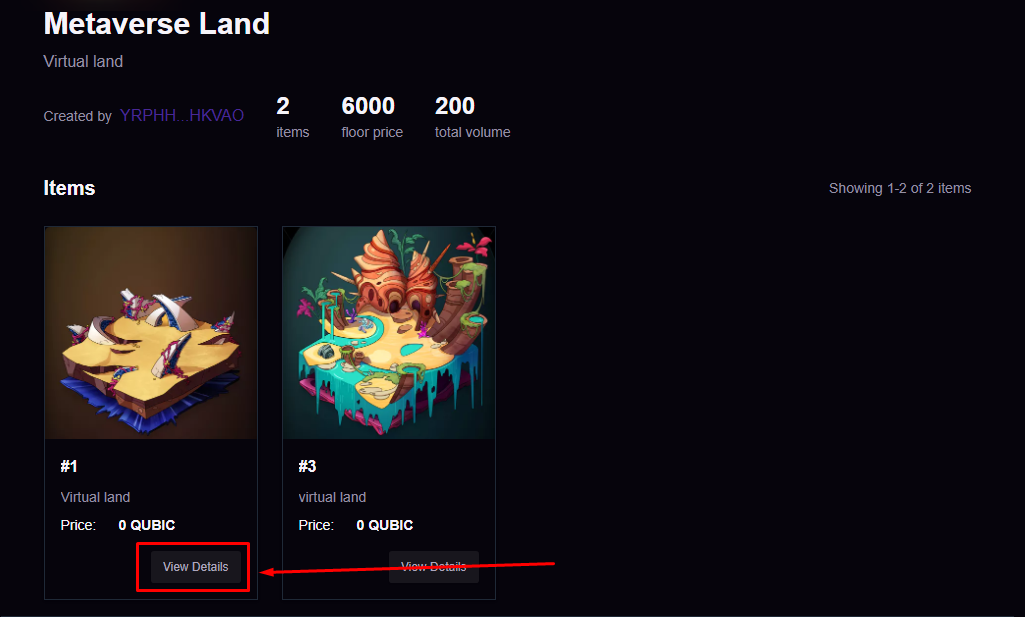
When you find an NFT you're interested in:
- Click on the NFT to view its detailed information
- Review the description, attributes, and current price
- Click the "View details" button for more information
Step 4: Complete Your Purchase
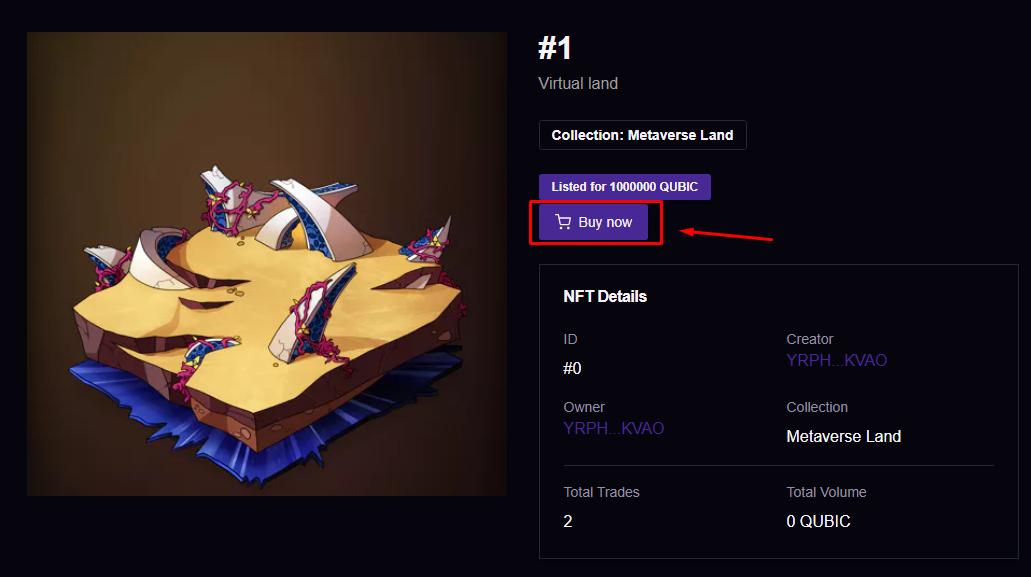
To purchase the NFT:
- Ensure you have sufficient funds in your connected wallet
- Click the "Buy now" button
- Confirm the transaction in your wallet
- Wait for the transaction to complete
Important Notes
- Wallet Connection: Make sure your wallet is connected before attempting to purchase
- Gas Fees: Be aware of network gas fees that may apply to your transaction
- Transaction Confirmation: Always wait for transaction confirmation before considering the purchase complete
- NFT Ownership: Once purchased, the NFT will appear in your wallet and can be viewed in your profile
Next Steps
After successfully purchasing an NFT, you can: