Connect Your Wallet
Welcome to Qubicbay! This guide will walk you through the process of connecting your cryptocurrency wallet to our platform.
Prerequisites
Before connecting your wallet, make sure you have:
- A supported cryptocurrency wallet (MetaMask, WalletConnect, etc.)
- Some cryptocurrency for gas fees
- A stable internet connection
Step-by-Step Guide
1. Visit Qubicbay Platform
Click the link to visit the Qubicbay website.
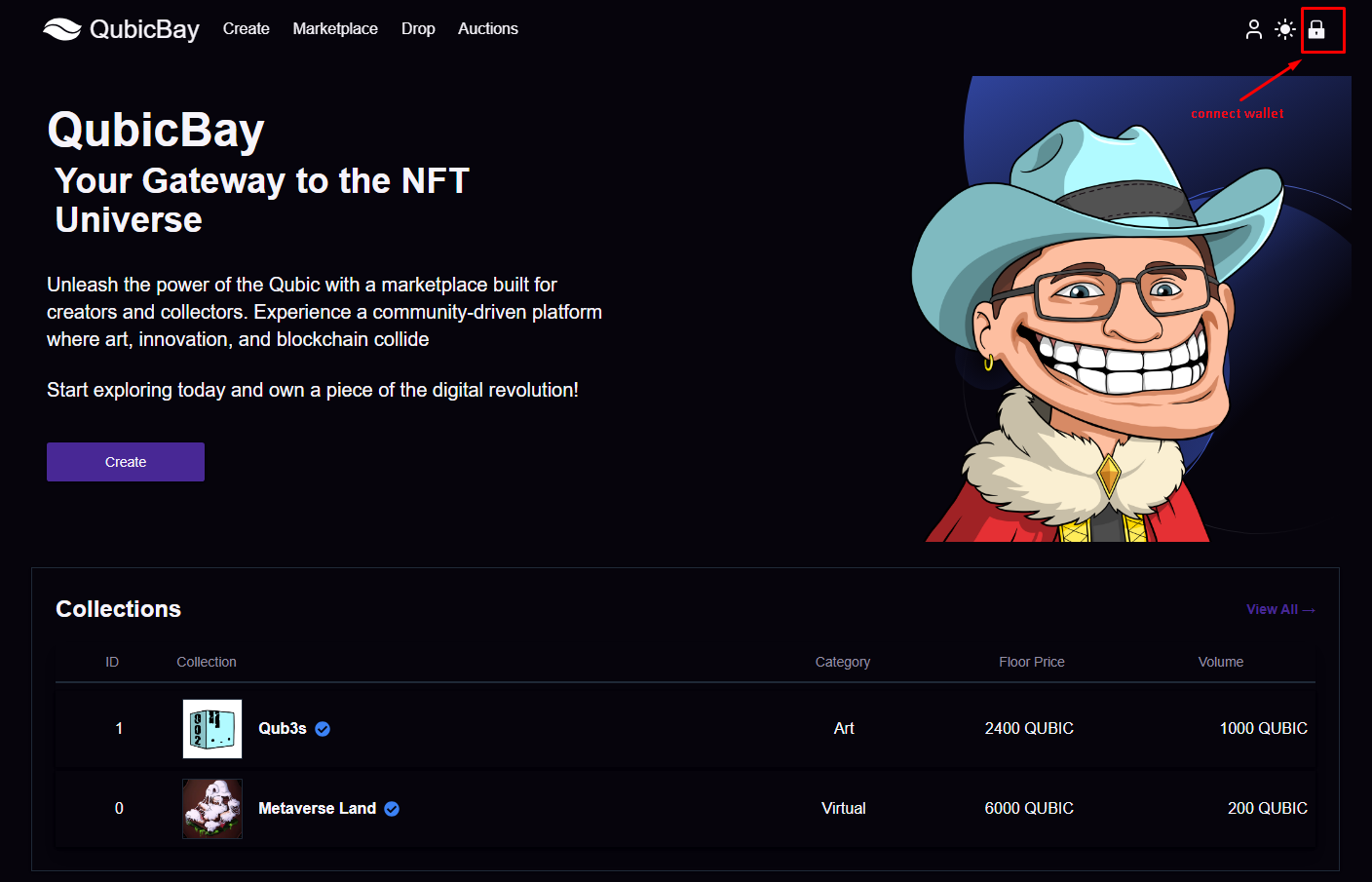
2. Locate the Connect Wallet Button
Once on the website, look for the "Connect Wallet" button in the top right corner of the page.
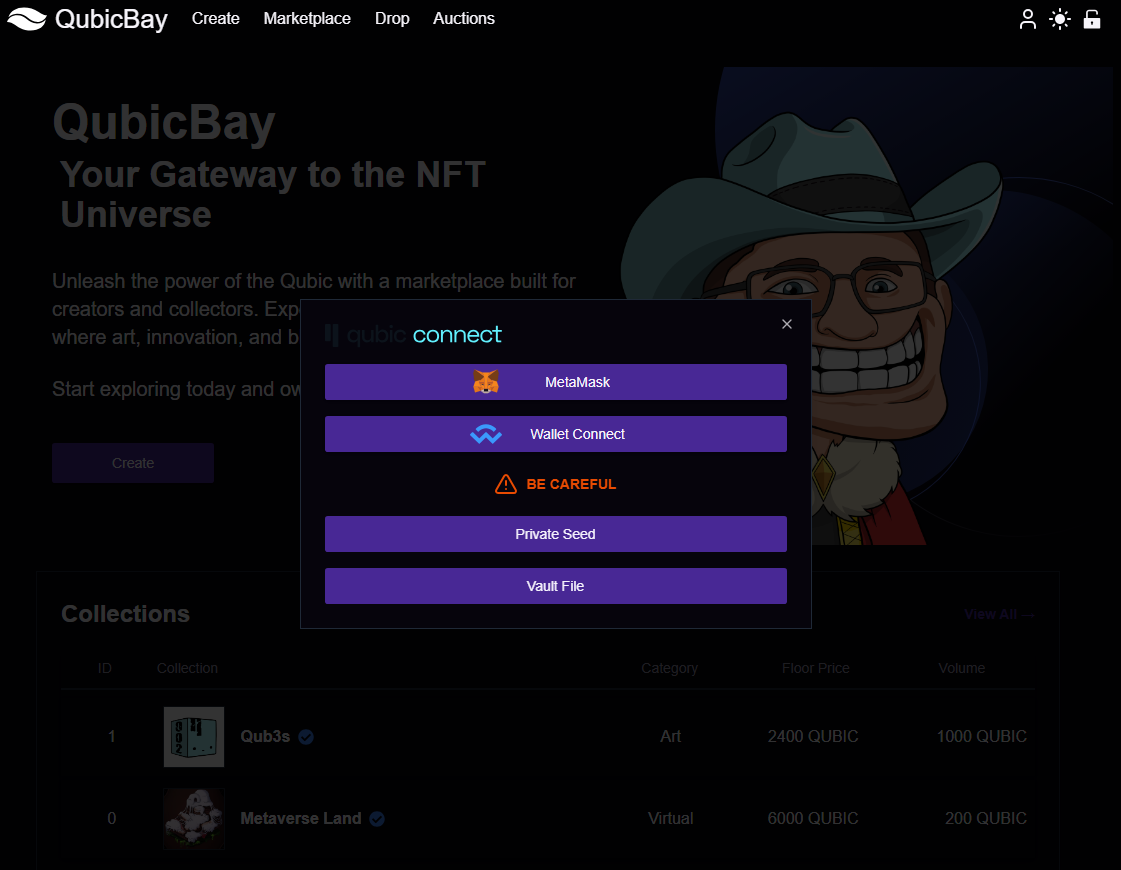
3. Choose Your Wallet
Click the "Connect Wallet" button to see available wallet options:
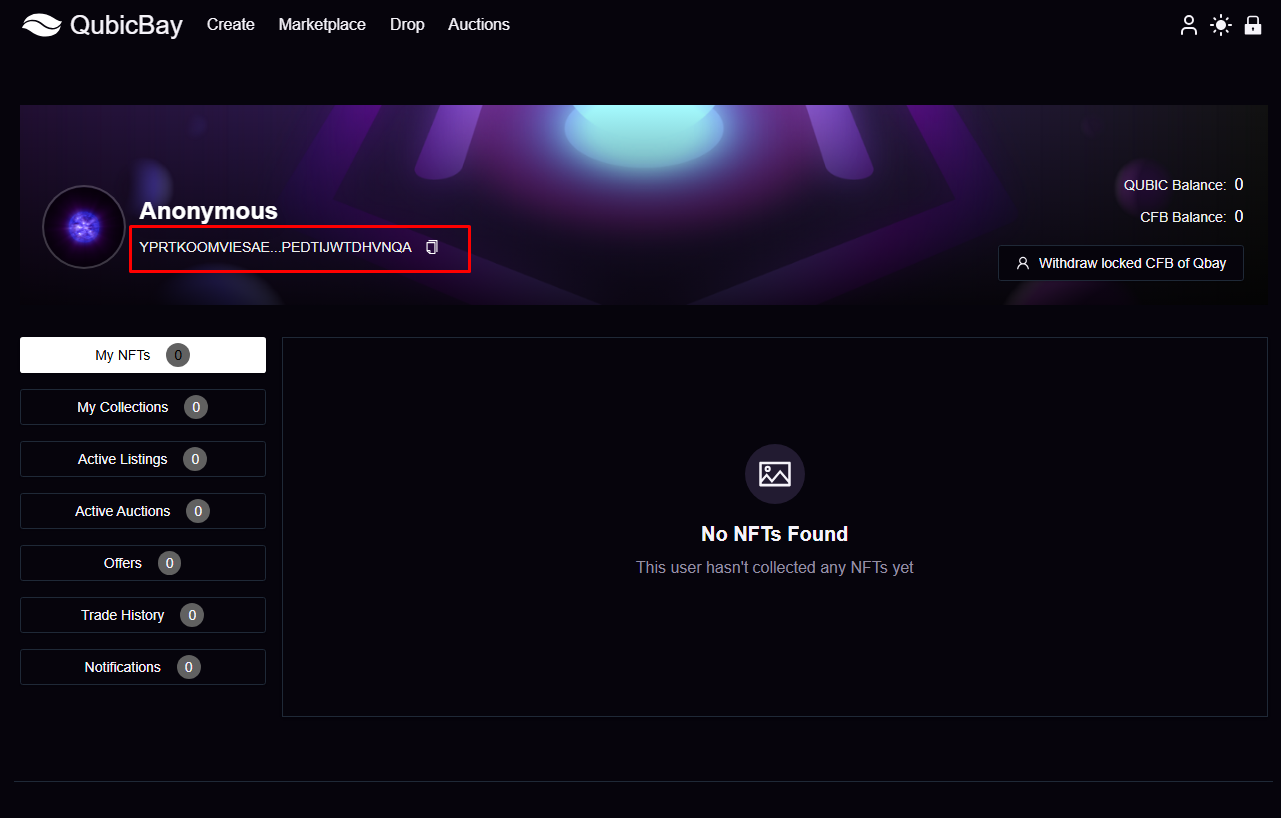
4. Complete the Connection
Follow the prompts in your wallet to complete the connection process:
Supported Wallets
Qubicbay supports the following wallet types:
- MetaMask - Most popular Ethereum wallet
- WalletConnect - Multi-wallet support
Troubleshooting
Common Issues
Wallet not connecting?
- Ensure your wallet is unlocked
- Check if you're on the correct network
- Try refreshing the page
Transaction failed?
- Verify you have sufficient funds for gas fees
- Check your network connection
- Ensure you're on the supported blockchain network
Need Help?
If you encounter any issues during the wallet connection process, please:
- Check our FAQ section
- Contact our support team
- Visit our community forums
Security Tips
- Never share your private keys or seed phrases
- Always verify the website URL before connecting
- Use hardware wallets for large transactions
- Keep your wallet software updated
Ready to start trading? Once your wallet is connected, you can explore our NFT marketplace and start trading!